
Download Aimage AI – Free AI Art Generator, Text‑to‑Image & Style Transfer
Overview
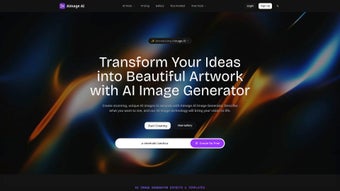
Aimage AI is a modern, web‑based creative platform that lets anyone turn a simple text prompt or an existing photograph into a fully rendered piece of artwork. Powered by a deep‑learning model that has been trained on millions of images, the service understands natural‑language descriptors, color palettes, lighting conditions, and compositional cues. Whether you are a freelance designer looking to prototype concepts in minutes, a marketer needing eye‑catching visuals for social media, or a hobbyist eager to explore AI‑driven art, Aimage AI offers a secure, free‑to‑try environment that balances power with simplicity.
The interface is built around a clean dashboard where you can choose between “Text‑to‑Image” generation, “Style Transform” for existing photos, or the “Image‑to‑Prompt” tool that extracts descriptive text from any uploaded picture. In addition, the platform hosts an Inspiration Gallery that showcases community‑generated creations, providing a constant stream of ideas for new projects. Because all processing is performed on encrypted cloud servers, users benefit from high‑performance rendering without needing a dedicated GPU or installing bulky software.
Aimage AI also respects user privacy: uploaded files are encrypted in transit, stored temporarily, and automatically deleted after 24 hours unless you actively save them to your personal gallery. This combination of advanced AI capabilities, cross‑platform accessibility, and robust privacy controls makes Aimage AI a standout option for anyone who wants to generate high‑quality visuals quickly and safely.
Key Features That Set Aimage AI Apart
- Text‑to‑Image Generation: Input a detailed description and receive a high‑resolution image that matches the requested style, lighting, and perspective.
- Photo Style Transformation: Upload a photo and instantly apply artistic filters such as anime, pixel art, oil painting, charcoal sketch, and more.
- Image‑to‑Prompt Generator: Turn any image into a concise textual prompt, enabling rapid iteration and collaboration.
- Inspiration Gallery: Browse thousands of community‑created artworks for ideas, trends, and creative sparks.
- Multi‑Style Switching: Switch between realistic, cartoon, abstract, or niche styles without re‑uploading or re‑typing.
- Batch Processing: Generate multiple variations of a single prompt in one operation, perfect for large‑scale projects.
- Secure Cloud Rendering: All AI inference runs on encrypted servers, guaranteeing data privacy and consistent performance.
- Regular Updates & New Style Packs: Monthly releases add fresh artistic filters, performance optimizations, and UI enhancements.
Each feature has been designed with real‑world workflows in mind. The Text‑to‑Image engine supports advanced prompt engineering, allowing you to specify camera angles, depth of field, and even specific lens types (e.g., 35 mm prime, fisheye). The Style Transformation leverages state‑of‑the‑art style‑transfer networks that preserve essential details while re‑imagining the visual language of the source image.
Batch processing is especially useful for agencies that need dozens of variations for A/B testing or client presentations. Meanwhile, the Inspiration Gallery not only showcases what other users have created but also provides a “remix” button, letting you take an existing piece and apply a different style or tweak the prompt. All of these tools are accessible through a single, responsive web interface that works equally well on desktop monitors, tablets, and smartphones, ensuring you can create wherever inspiration strikes.
Installation, Usage Instructions, and Compatibility
Getting started with Aimage AI requires no download or heavy installation. The service runs entirely in modern browsers, making it instantly accessible on Windows, macOS, Linux, Chrome OS, iOS, and Android devices. For users who prefer a desktop‑like experience, Aimage AI offers Progressive Web App (PWA) support. Simply click the “Install App” button in Chrome, Edge, or Safari, and the platform will add a shortcut to your start menu or home screen. The PWA caches the UI assets for faster loading, though AI rendering still needs an active internet connection because the heavy computation occurs on remote servers.
Step‑by‑step usage guide:
- Navigate to aimage.ai and optionally create a free account to save projects.
- Select the desired mode—“Text‑to‑Image”, “Style Transform”, or “Image‑to‑Prompt”—from the main dashboard.
- For Text‑to‑Image, type a clear, descriptive prompt. Use commas to separate attributes (e.g., “sunset over a misty lake, ultra‑realistic, 8K resolution, warm color palette”).
- For Style Transform, upload an image (JPEG, PNG, or WebP up to 10 MB) and choose a style from the dropdown menu.
- Click “Generate” and wait a few seconds while the cloud‑based AI processes your request.
- Review the output. If adjustments are needed, use the “Refine” button to edit the prompt or tweak style parameters.
- When satisfied, download the final image in PNG or JPG format, or share it directly to social platforms using the built‑in sharing tool.
Compatibility & System Requirements (itemprop="operatingSystem"):
- Operating Systems: Windows 10/11, macOS 10.15+, Linux (any distro with a modern browser), Chrome OS, iOS 13+, Android 9+.
- Supported Browsers: Google Chrome (latest), Mozilla Firefox, Microsoft Edge, Safari 14+ (all must support WebGL and WebAssembly).
- Internet Speed: Minimum 5 Mbps download for optimal rendering; faster connections reduce latency.
- Hardware: No local GPU required; the UI runs smoothly on low‑end laptops, tablets, and smartphones.
Because the computation is performed on secure cloud infrastructure, Aimage AI remains usable on devices that would otherwise struggle with AI workloads. The platform complies with GDPR and CCPA regulations, providing transparent consent dialogs and easy data‑deletion options. Whether you are working from a corporate workstation, a school laptop, or a mobile phone on the go, Aimage AI delivers consistent performance and a reliable, privacy‑first experience.
Pros and Cons
Pros
- Fully web‑based – no bulky installations, GPU requirements, or operating‑system limitations.
- Rich prompt system that supports detailed artistic directions, camera settings, and lighting cues.
- Extensive library of style filters, including niche genres such as pixel art, manga, oil painting, and photorealism.
- Image‑to‑Prompt generator accelerates iterative design and collaborative workflows.
- Generous free tier with daily rendering credits; premium plans are competitively priced.
- End‑to‑end encryption and GDPR‑compliant data handling protect user privacy.
- Regular updates introduce new styles, performance improvements, and UI refinements.
- Progressive Web App option provides a native‑like experience on desktop and mobile.
Cons
- Requires a constant internet connection; offline generation is not currently supported.
- Free tier imposes daily limits on high‑resolution outputs, which may affect heavy users.
- Complex prompts can need several refinement cycles to achieve the exact desired result.
- Some highly specific styles (e.g., ultra‑realistic portrait) may produce occasional artifacts.
- Limited native integrations with third‑party design tools such as Photoshop or Illustrator.
- Export options are primarily raster formats; vector export is only available for select styles.
Frequently Asked Questions
Is Aimage AI really free to use?
Aimage AI offers a free tier that includes up to 20 text‑to‑image generations per day and 10 style‑transfer conversions. Premium plans start at $9.99 / month and provide unlimited renders, higher‑resolution outputs, and priority processing.
Can I use the generated artwork for commercial projects?
Yes. Under the standard license, all images created with Aimage AI can be used for commercial purposes, including marketing, product packaging, and client deliverables. Paid plans include an expanded commercial rights waiver and a royalty‑free guarantee.
What file formats does Aimage AI support for download?
Generated images can be downloaded as PNG (lossless) or JPG (compressed). For certain style packs, a vector‑export option is available, delivering SVG files suitable for scaling without quality loss.
How does the Image‑to‑Prompt generator work?
When you upload an image, the AI analyzes its visual components—objects, colors, composition—and produces a concise textual description. This prompt can be edited or fed directly back into the Text‑to‑Image engine to generate variations or entirely new scenes.
Is my data safe when I upload images?
Aimage AI uses end‑to‑end encryption for all uploads and stores files on secure, GDPR‑compliant servers. Images are automatically deleted from the server after 24 hours unless you choose to save them to your personal gallery.
Conclusion & Call to Action
Aimage AI has quickly positioned itself as a go‑to solution for creators who need high‑quality, AI‑generated visuals without the steep learning curve of traditional 3D rendering or manual illustration. Its combination of powerful Text‑to‑Image generation, versatile style‑transfer capabilities, and an intuitive, browser‑based interface makes it an attractive choice for designers, marketers, educators, and hobbyists alike. While the requirement for an internet connection and the modest limits of the free tier are minor drawbacks, the overall value—especially given the generous free quota and the breadth of artistic styles—far outweighs these concerns. The platform’s commitment to regular updates and privacy‑first architecture ensures that users receive fresh features while keeping their data secure.
If you’re ready to accelerate your creative workflow, experiment with new visual styles, or simply have fun turning ideas into artwork, download Aimage AI today. Click the button below to create a free account, explore the Inspiration Gallery, and start generating stunning images in seconds.
Aimage AI delivers a smooth, powerful AI art experience that rivals desktop‑based generators while remaining accessible through any browser. Its style flexibility and prompt‑driven workflow make it ideal for rapid prototyping and commercial projects alike.



.png)



